Setup & Troubleshooting
Step-by-step setup guides, connection instructions, and solutions for audio, pairing, range, and technical issues.
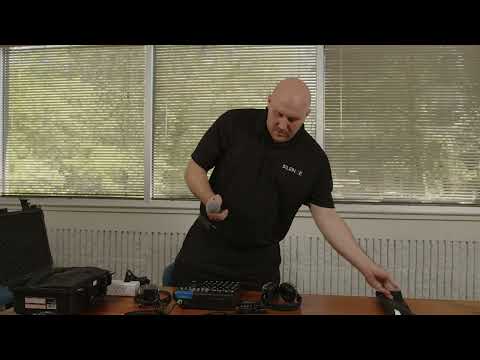
To set up a DJ mixer for a silent disco, connect your audio sources (DJ controller, microphone, or laptop) into the mixer, then run the mixer’s output into the silent disco transmitter. Adjust gain levels, assign channels, and test audio to ensure a clean, balanced signal before your event begins.
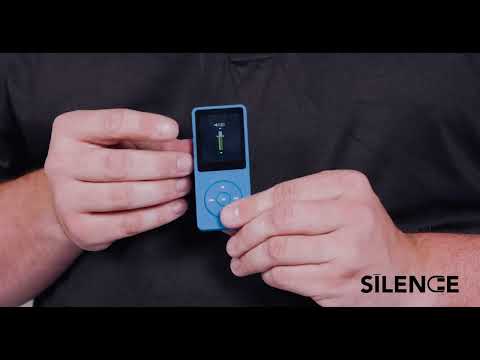
Preloaded Phantom DJ players allow you to run a silent disco without a DJ by playing preloaded DJ mixes directly from an MP3 device. Simply power on the player, connect it to your transmitter using an aux cable, set the volume to around 90%, and start playback. This is one of the easiest ways to run a silent disco setup.
To set up a silent disco system, place the transmitter centrally, connect your audio source with a 3.5mm or RCA cable, power on the transmitter and headphones, and test the signal before guests arrive.
Yes. SILENCE provides setup instructions, downloadable guides, and troubleshooting support for DIY rentals. Staffed events include full delivery, setup, and on-site technical assistance.
To connect a DJ mixer to a silent disco transmitter, run your mixer’s master output into the transmitter’s RCA or 3.5mm input using the appropriate cable. Test the signal before guests arrive to ensure clean audio.
If your silent disco audio is cutting out, check transmitter placement, distance, channel selection, battery level, and cable connections. Most issues are easily resolved with simple adjustments.
If silent disco headphones are not producing sound, check that they are powered on, set to the correct channel, within range of the transmitter, and that the audio source is actively playing.
Silent disco headphones typically last 8 to 12 hours. If a headset has low battery, replace it with a charged unit and confirm it is on the correct channel and within range.
Silent disco interference is usually caused by transmitter placement, distance, physical obstructions, or overlapping wireless equipment. Elevating and centrally positioning the transmitter improves signal stability.
If silent disco equipment stops working, check power, audio source, channel selection, distance from the transmitter, and cable connections. Most issues are quickly resolved with simple troubleshooting steps.
Video Walkthroughs
Watch quick help videos for Setup & Troubleshooting.